
Mobile SDK Integration
AndroidIntegrate the Tapaya Accept SDK into your mobile application.
The Tapaya Accept SDK embeds card payment processing directly into your app. It ships for Android (Kotlin) and for React Native / Expo, and both target Android devices. The React Native package is a thin wrapper over the Android SDK, so the surfaces, types, and failure cases below are the same on either.
Every code sample on this page is tabbed by language. Pick one and the whole page follows.
Installation
dependencies {
    implementation("com.tapaya:accept:1.15.0")
}
Android: add the dependency to your module-level build.gradle.kts, then sync the project.
React Native: install with npx expo install @tapayadot/accept-react-native, add the config plugin as
shown, then regenerate the native project with npx expo prebuild --clean and run it with
npx expo run:android.
Initialization
Accept is the entry point for all SDK functionality. Initialize it once at app startup (on Android,
typically in your Application class), then authenticate separately with a merchant token.
Step 1: Initialize
// Sandbox is the default (isProduction = false)
Accept.initialize(context = this)

// Target production explicitly
Accept.initialize(context = this, isProduction = true)

// Or drive it from your build type
Accept.initialize(context = this, isProduction = !BuildConfig.DEBUG)
There is no context on React Native; the native module holds it for you.
Step 2: Authenticate
Call Accept.auth.authenticate() after initialization to log in a merchant with a token obtained from your
backend. It is asynchronous and fails with an SDK error. On success, the SDK state becomes authenticated.
// suspend; call from a coroutine
try {
    val sdkToken = myBackendApi.getSdkToken()
    Accept.auth.authenticate(sdkToken)
    // Accept.state now emits SdkState.Authenticated
} catch (e: AcceptException) {
    // handle authentication failure
}
Observe the lifecycle to react to these transitions: idle → initialized → authenticated.
// Accept.state is a StateFlow<SdkState>
Accept.state.collect { state ->
    if (state == SdkState.Authenticated) loadMerchant()
}
Core Concepts
The Accept object exposes the SDK through a small set of surfaces:
| Surface | Purpose |
|---|---|
Accept.auth | Authenticate a merchant session. |
Accept.merchant | Merchant profile, config, onboarding status. |
Accept.payments | Create and manage card payments. |
Accept.plugin | Terminal (plugin app) install and activation. |
Accept.displays | Device display info for dual-sided ("double-sided") terminals. |
Accept.sdk | SDK version, environment, device id, minimum amounts. |
Accept.state | Lifecycle state: StateFlow<SdkState> on Kotlin, a getter plus addStateListener() on React Native. |
Taking a Payment
Call Accept.payments.pay() with the amount (in the currency's minor unit) and an ISO 4217 currency code, then
observe the stream of PaymentEvents it reports: progress first, then the terminal outcome. pay() never
throws; a failure to create the payment arrives as a CreationFailed event instead.
How you observe that stream is the one thing that differs: Kotlin returns a Flow<PaymentEvent> you collect
from a coroutine, while React Native takes a listener and hands back a subscription you can remove().
amount and currency are required. For the optional parameters (paymentToken, receiptConfig, nfcPosition,
metadata, tip, transactionTimeout, display), see Create a payment.
On React Native
The same parameters arrive as a single PaymentRequest object, pay({ amount, currency, tip, … }), with
number in place of Long and Record<string, string> in place of Map<String, String>. One rename: the
timeout is transactionTimeoutMs and takes plain milliseconds (0…120000) rather than a Duration.
Accept.payments.pay(amount = 15000, currency = "CZK") // 150.00 Kč
    .collect { event ->
        when (event) {
            PaymentEvent.Creating -> Log.d("pay", "creating")
            is PaymentEvent.Created -> Log.d("pay", "created ${event.paymentToken}")
            PaymentEvent.Launched -> Log.d("pay", "launched")
            is PaymentEvent.Result -> Log.d("pay", event.payResult.toString())
            is PaymentEvent.CreationFailed -> Log.e("pay", event.cause.toString())
        }
    }
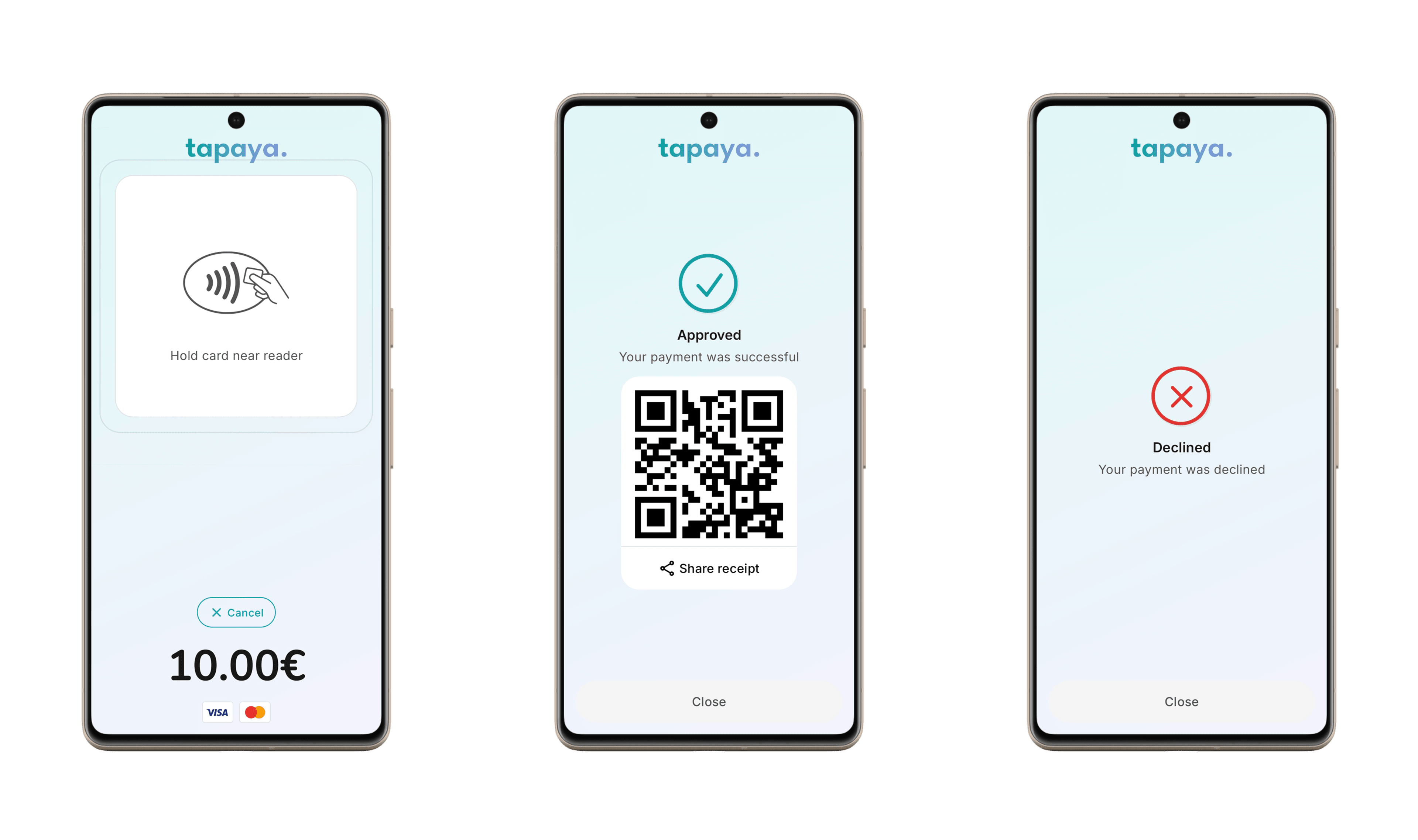
The terminal result event carries a PayResult: success (with paymentToken, metadata, authCode,
receiptDetails), declined (metadata, receiptDetails), canceled (metadata), or failed (reason,
metadata). Kotlin models these as PayResult.Success / Declined / Canceled / Failed subclasses;
React Native as a discriminated union you branch on with payResult.type === 'success'. See
Payment outcome for the full breakdown. Query a payment later with
Accept.payments.status(paymentToken), stop it with Accept.payments.cancel(paymentToken), or refund it with
Accept.payments.refund(paymentToken, reason).
Just the outcome (React Native)
If your UI does not render the intermediate states, payAsync() reduces the whole stream to its terminal
PayResult and rejects with an AcceptError for anything that pay() would have reported as
creationFailed. It has no Kotlin counterpart; collect the Flow there, or take only its last event.
const result = await Accept.payments.payAsync({ amount: 15000, currency: 'CZK' });
if (result.type === 'success') {
    console.log(result.paymentToken, result.receiptUrl);
}
Merchant & SDK Info
Accept.merchant exposes the authenticated merchant's profile and payment configuration. Accept.sdk exposes
facts about the SDK build and this device. Every member below requires Accept.initialize() first (except
Accept.sdk.version), and everything on Accept.merchant additionally requires a completed
Accept.auth.authenticate(), otherwise the call throws NotInitialized or NotAuthenticated.
Merchant
val info = Accept.merchant.info()                      // MerchantInformation?
val config = Accept.merchant.config()                  // MerchantConfig
val currencies = Accept.merchant.availableCurrencies() // List<String>
val status = Accept.merchant.onboardingStatus() // OnboardingStatus| Member | Returns | Description |
|---|---|---|
info() | MerchantInformation? | The merchant's registered business profile. null if the profile is not available yet. |
config() | MerchantConfig | The merchant's payment configuration. |
availableCurrencies() | List<String> | ISO 4217 codes the merchant can accept. Shorthand for config().availableCurrencies. |
onboardingStatus() | OnboardingStatus | Whether the merchant may accept payments yet. |
All four are suspend and throw NotAuthenticated, NoInternetConnection, or Unknown on failure.
MerchantInformation carries the registered business profile. Always present: merchantId (UUID),
email, businessType (BusinessType), legalName, registrationNumber, mcc, and the registered address
(addressLine1, city, country). Optional (null unless the merchant supplied them): vatNumber,
incorporationDate, addressLine2, postalCode, state, phone, averageItemValue,
expectedMonthlyTurnover, businessModelDescription, numberOfEmployees, annualTurnover,
balanceSheetTotal, statementDescriptor, termsVersion.
BusinessType is one of INDIVIDUAL, COMPANY, NONPROFIT_ORGANIZATION, GOVERNMENT_ENTITY, or
PARTNERSHIP.
MerchantConfig holds availableCurrencies: List<String> and the merchant's default currency: String?.
OnboardingStatus is a sealed interface: either ReadyForPayments, or RequiresAction(state) where
state is an OnboardingState: NOT_STARTED, PENDING, ACTIVE, ATTENTION_NEEDED, ACTION_REQUIRED,
BLOCKED, WAITING_FOR_KYB, WAITING_FOR_STAKEHOLDERS, or PENDING_ACQUIRER_APPROVAL. See
Merchant Onboarding for what each state means.
SDK
Accept.sdk.version            // String, e.g. "1.15.0"
Accept.sdk.isProduction       // Boolean
Accept.sdk.deviceId()         // String?  (suspend)
Accept.sdk.minimumAmounts() // List<MinimumAmount> (suspend)| Member | Returns | Description |
|---|---|---|
version | String | The SDK's version. Readable before initialize(). |
isProduction | Boolean | Whether initialize() targeted production (true) or sandbox (false). |
deviceId() | String? | This device's stable id, assigned on the first successful authenticate() and kept until the app is uninstalled. null before that. Quote it in support requests. |
minimumAmounts() | List<MinimumAmount> | The minimum payable amount per supported currency. Each entry is currency: String, amount: Long in the currency's minor unit. |
Plugin App
Every card payment hands off to Tapaya Terminal, the Tapaya plugin app; it is always required, there is no card payment path that skips it. Check whether it is installed, then activate the terminal, or open the store listing so the merchant can install it.
Use Accept.plugin.isInstalled(), Accept.plugin.activateTerminal(), and Accept.plugin.install() for this. See
Install and activate the terminal for the code and every
activation outcome.
Read the plugin's current state with Accept.plugin.status(), or sign the merchant out of the plugin with
Accept.plugin.logout().
Permissions
Card payments require the host app to hold location permission (ACCESS_FINE_LOCATION). The SDK does not
request it for you; grant it with the standard Android permission APIs before calling pay().
class PaymentActivity : AppCompatActivity() {
    private val requestLocation = registerForActivityResult(
        ActivityResultContracts.RequestPermission()
    ) { granted ->
        if (granted) launchPaymentFlow() else showPermissionRationale()
    }

    fun startPayment() {
        requestLocation.launch(Manifest.permission.ACCESS_FINE_LOCATION)
    }
}
If location is missing or cannot be resolved when pay() runs, the flow emits PaymentEvent.CreationFailed
with LocationPermissionRequired, LocationUnavailable, or LocationTimeout as the cause.
Error Handling
Every checked failure carries one of the names below. On Kotlin each is a subclass of the sealed
AcceptException; on React Native they are all one AcceptError class whose code holds the name, with the
payload fields (minimum, currency, state, …) hung off the same object.
The async calls (authenticate, merchant.*, payments.status/cancel/refund,
plugin.activateTerminal/status/logout/updateInfo, clear) fail with one. payments.pay() is the
exception: it never throws, and reports the same failures as a CreationFailed event carrying the cause.
Exception Types
| Exception | Description |
|---|---|
| Lifecycle | |
NotInitialized | A call needs Accept.initialize() first. |
NotAuthenticated | A call needs Accept.auth.authenticate() first. |
SessionExpired | Authenticated session expired; re-authenticate. |
UnknownEnvironment(key) | Environment key not recognized (internal initialize overload). |
| Payments | |
PaymentInProgress | A previous pay() is still awaiting a result. |
CurrencyNotAvailableForMerchant(code) | Currency not configured for the merchant. |
UnsupportedCurrency(code) | Currency not recognized by the SDK. |
AmountBelowMinimum(minimum, currency) | Amount below the configured minimum. |
TransactionTimeoutOutOfRange(transactionTimeout) | transactionTimeout outside the 0 to 120 second range. |
PaymentCreationFailed(cause) | Any other failure while creating a payment. |
PaymentNotFound | status()/cancel()/refund() token unknown to the backend. |
| Location | |
LocationPermissionRequired | Host app lacks location permission. |
LocationUnavailable | No provider could produce a location fix. |
LocationTimeout | Location fix not resolved in time. |
| Plugin / Terminal | |
PluginUnavailable | Plugin app not installed, or its service could not be bound. |
PluginTimeout | Plugin did not respond in time. |
ActivationInProgress | A previous activateTerminal() is still awaiting a result. |
NoTidsAvailableForMerchant | Merchant has no unassigned terminal (TID) left to activate. |
PluginAlreadyAuthenticated | Plugin already authenticated for this merchant. |
PluginMerchantMismatch | Plugin authenticated under a different merchant; call plugin.logout() first. |
PluginNotReadyForPayments(status) | pay() ran while the plugin was not in PluginStatus.ReadyForPayments; status carries the current state. |
MerchantOnboardingIncomplete(state) | Merchant has not finished onboarding. |
| System | |
NoInternetConnection | Device has no network connectivity. |
Unknown(cause) | Any failure the SDK does not recognize as one of its own. |
Result vs. exception
A payment that reaches the terminal but does not succeed is not an exception; it arrives as
PaymentEvent.Result carrying PayResult.Declined, Canceled, or Failed(reason). Likewise, terminal
activation reports ActivateTerminalResult.Failed(reason).
Handling Exceptions
Wrap the call in a try/catch and branch on the specific cases you handle, falling back to a broad catch.
Kotlin branches on the exception subclass; React Native guards with AcceptError.is() and switches on code.
try {
    val status = Accept.payments.status(paymentToken)
} catch (e: SessionExpired) {
    // Re-authenticate
} catch (e: NoInternetConnection) {
    // Ask the user to check connectivity
} catch (e: AcceptException) {
    // Handle any other SDK error
    Log.e("Payment", "Error: ${e.message}")
}
Logging
Enable debug logging during development to troubleshoot issues.
Accept.setDebugLoggingEnabled(true)Logging Out
Clear all locally persisted SDK state (auth token, device id, cached config) and reset the SDK state back to
idle. Call this on user logout. To also sign the merchant out of the Tapaya Terminal app, call
Accept.plugin.logout() first.
Accept.plugin.logout() // suspend; signs out of the Tapaya Terminal app
Accept.clear()         // suspend; clears local SDK state